
How to view/ export the timesheet?
Watch the steps. (00:50 Secs)
Or, follow the steps below:
- Logon to LegalXGen
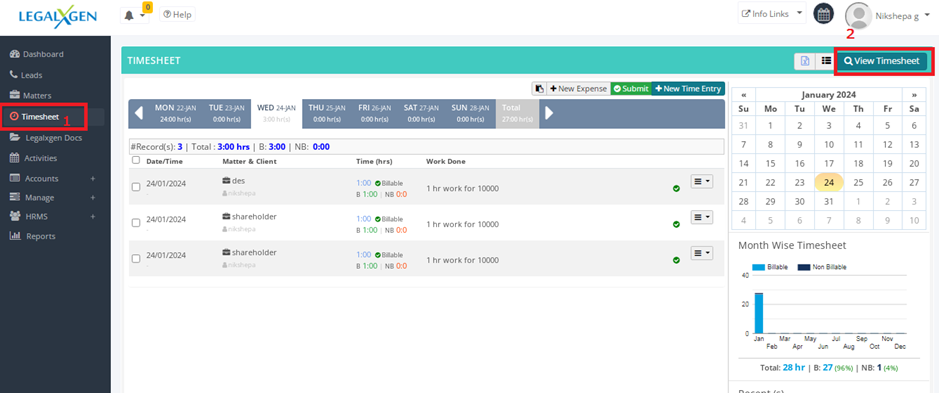
- Go to Timesheet >> View Timesheet
- Apply necessary filters (Client, Matter, User etc.)
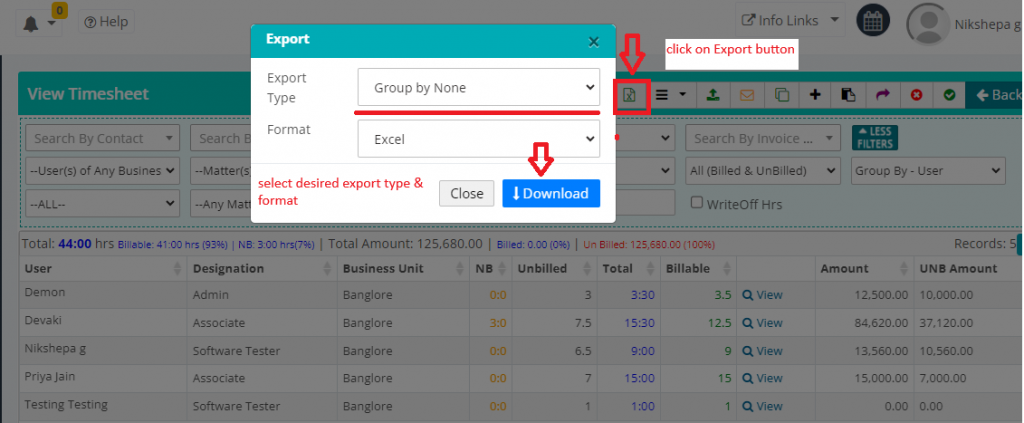
- Hit on the Export button on the top right.
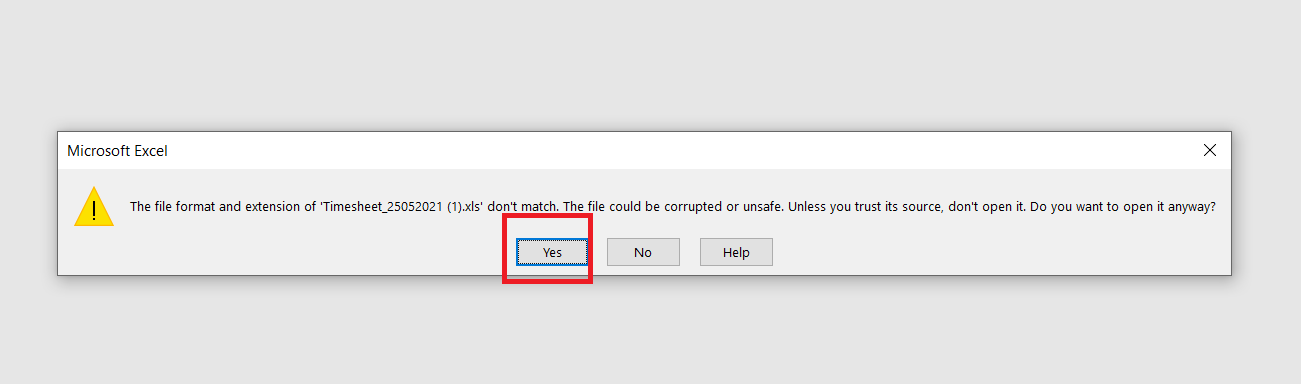
- While opening the Excel you might see Yes/ No dialog, click on ‘Yes’.
- That’s it!! You’ve got the data you were looking for.