
How to upload any document?
- Login to your LegalXGen Account
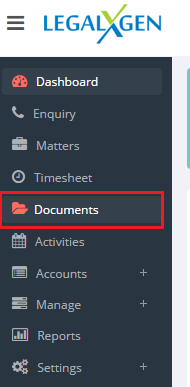
- Click on the tab ‘Documents’ on your left.
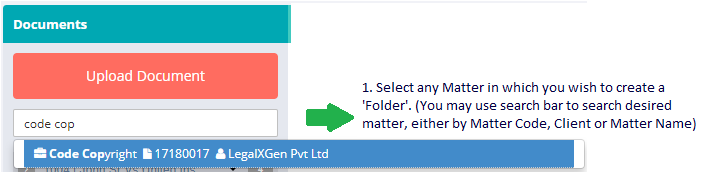
- Search for the matter to which you wish to upload the the document.
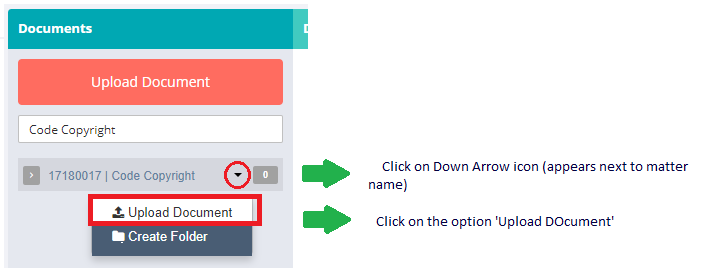
- You’ll see an option ‘Upload Document’ within the selected matter.
- Browse/Select the File you wish to upload and CLick on ‘Upload’
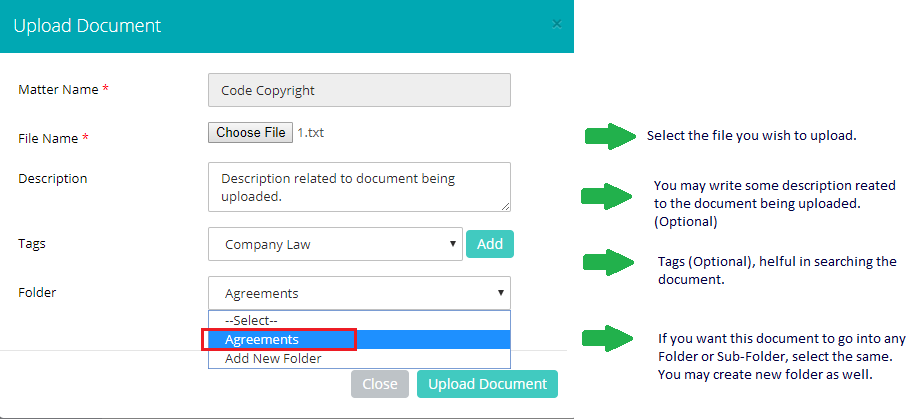
Once done with it, click on the ‘Upload’ button.