How to merge contacts?
- Logon to your LegalXGen account
- Go to Manage
 Contacts

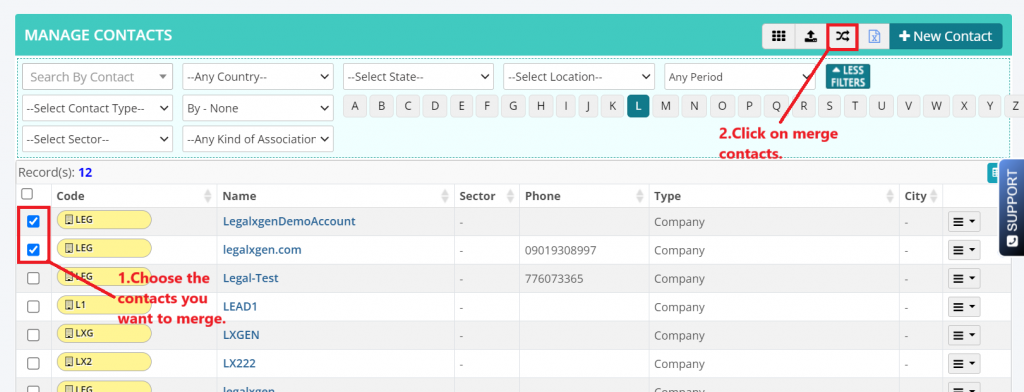
- In the contacts search, select the contacts you want to merge, then click ‘Merge Contacts‘ icon.
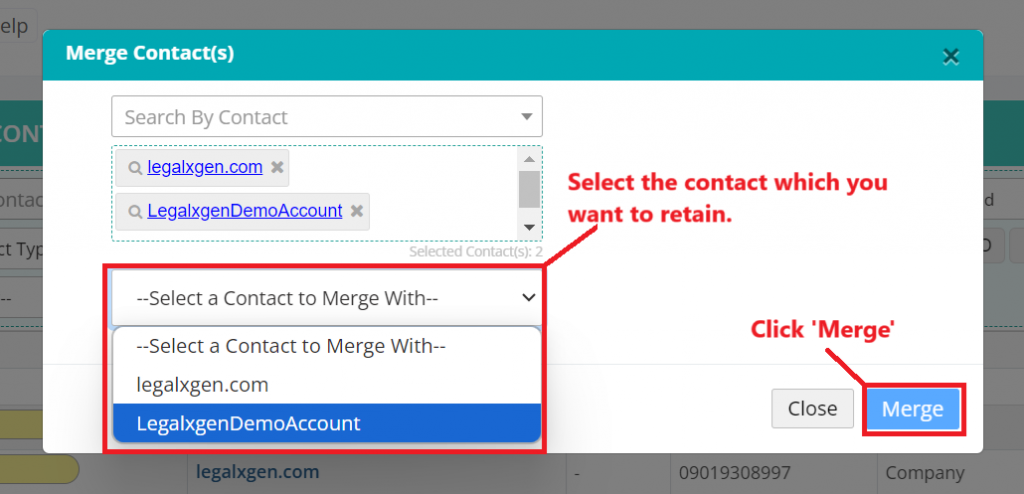
- Select the contact to be merged with and Click ‘Merge‘ icon.
 Knowledge Base
If you have any question you can ask below or enter what you are looking for!
Contacts