How to edit an existing contact?
- Logon to your LegalXGen Account
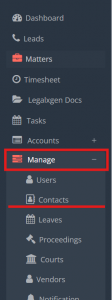
- Go to Manage
 Contacts
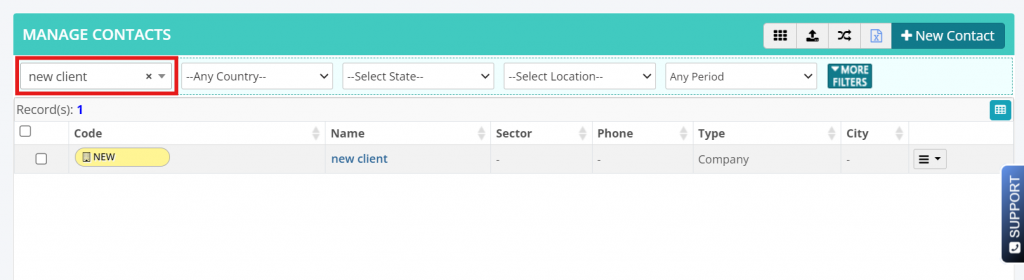
- Search for the contact you wish to edit
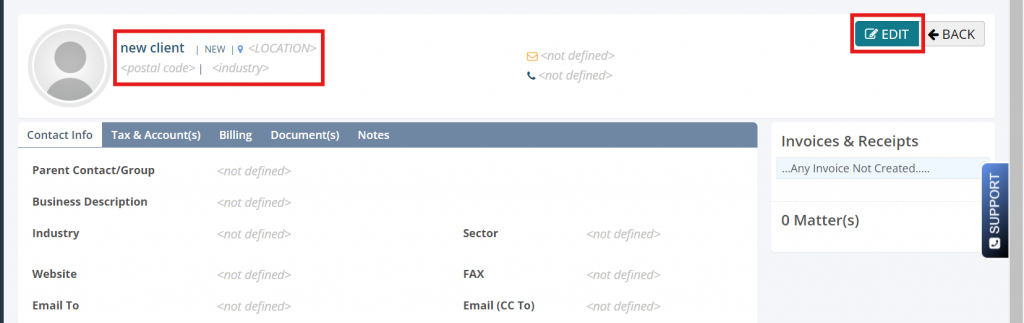
- Click on name of the contact and click on edit.
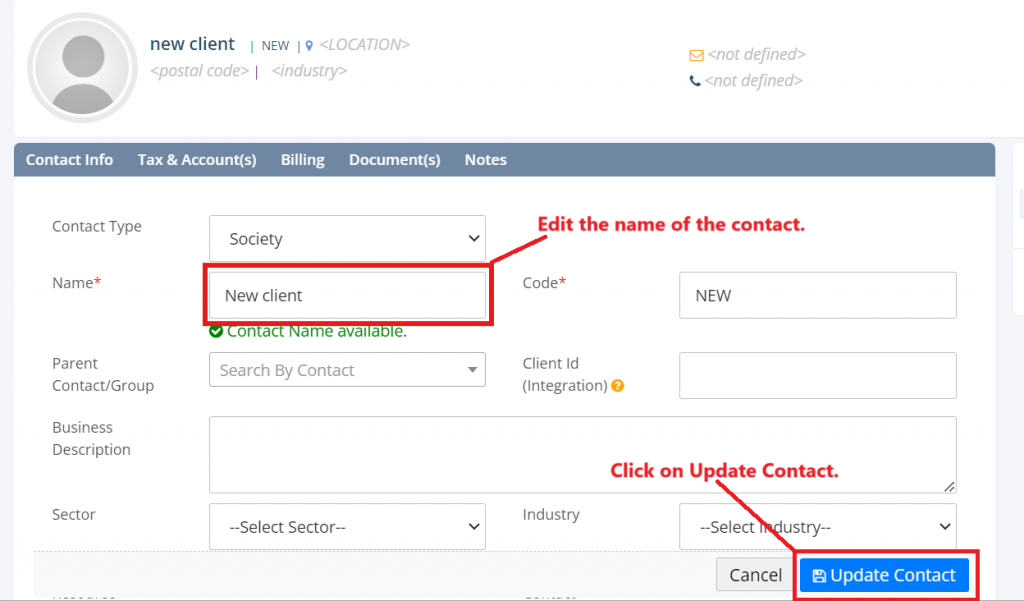
- Do the changes you wish to do in the contact and click on Update contact Button.