How to setup ‘Leave Cycle’ and ‘Week Off’?
- Logon to your LegalXGen Account
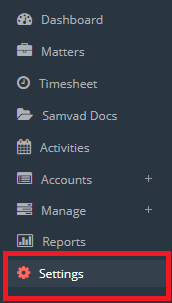
- Go to Settings
- You’ll be redirected on Settings view. Click on the tab ‘Leave‘ present at top
- Locate the panel ‘Leave Settings‘
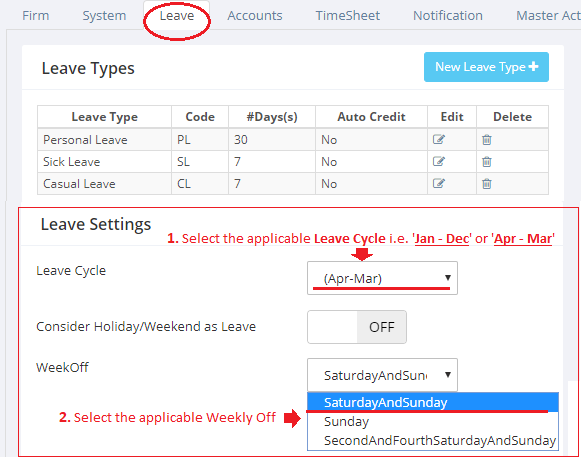
- Select applicable ‘Leave Cycle‘ and ‘Week Off‘
 Knowledge Base
If you have any question you can ask below or enter what you are looking for!