
How to view or modify Document Attributes/ Settings?
- Logon to LegalXGen
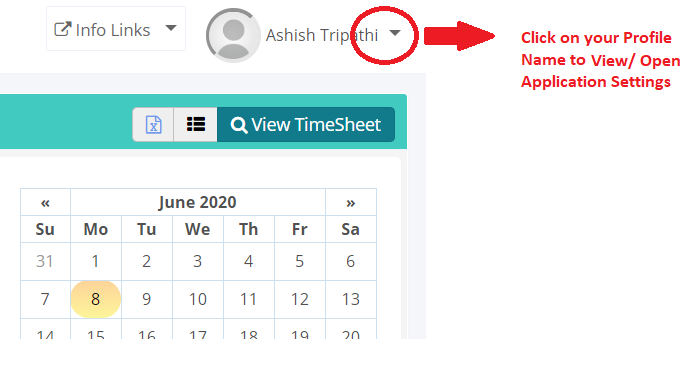
- Click on your Profile Name on the Top Right
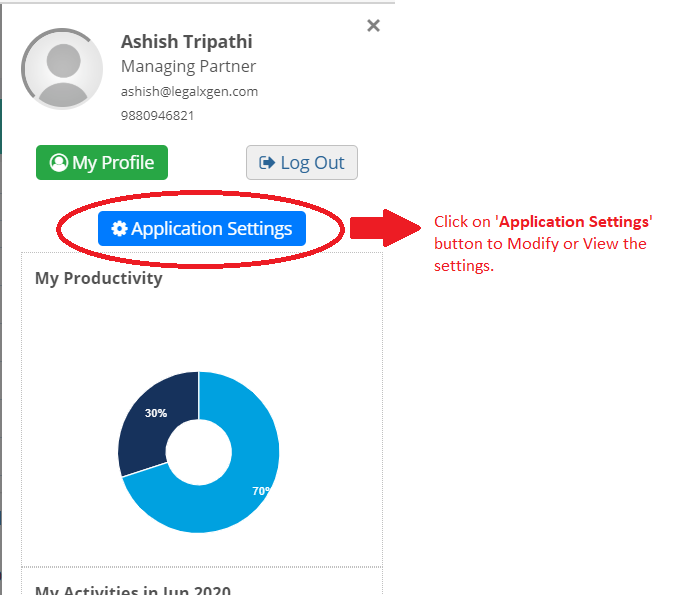
- Click on ‘Application Settings‘ button
- Click on ‘Document‘ tab
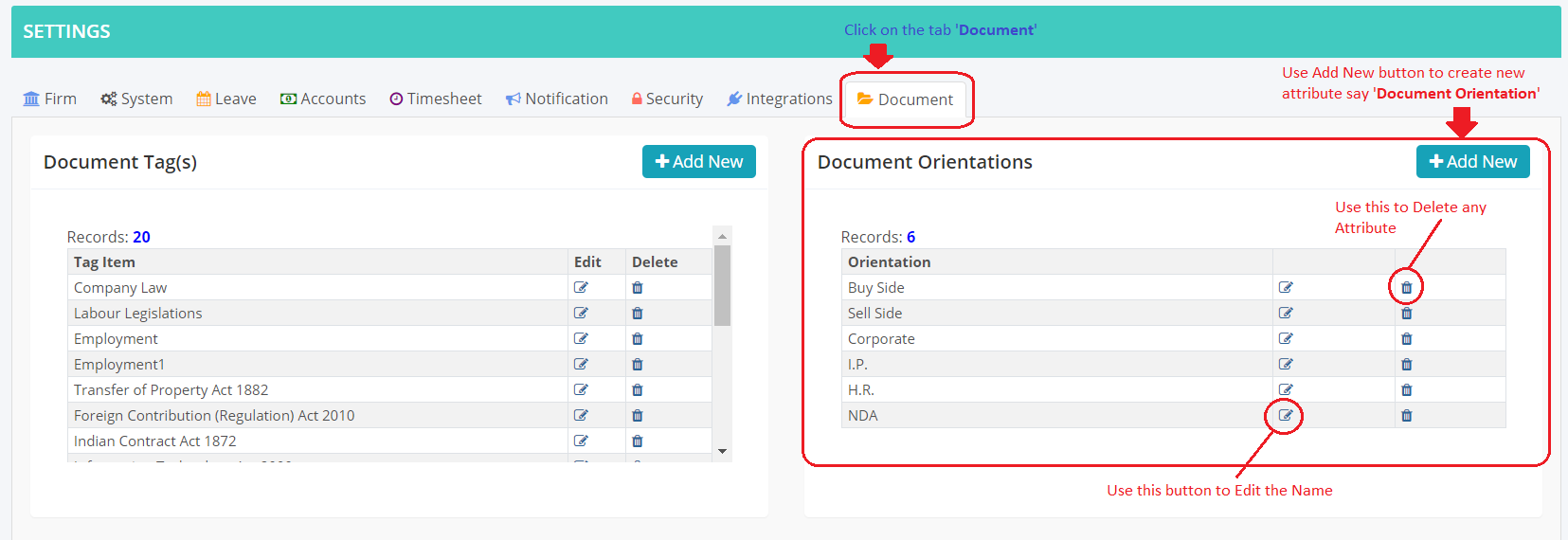
- You’ll see various Document Attributes listed here. Each attribute is shown into separate panel with ‘Add New’ button to create a new Attribute.
- Also, Edit and Delete option is given with each attribute item to Edit/ Modify.