
How to convert Client Specific Invoice to Matter Specific Invoice ?
- Logon to LegalXGen
- Go to Accounts >> Invoices
- Select the client-specific invoice

- Click on the action button and then select “Convert to Matter Specific”
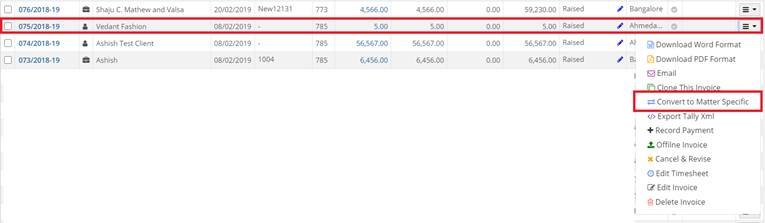
- When you click on “Convert to Matter Specific” Convert to Matter specific pop will appear, choose the appropriate matter name and click on save.
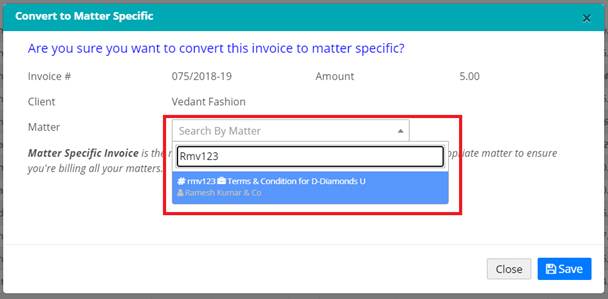
- By the above steps, one can convert client-specific invoice to matter-specific.