
How to filter/export invoices by age?
- Logon to your Legalxgen Account
- Go to Accounts
 Invoices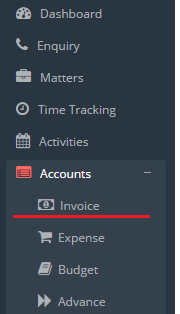
- Click on More Filters

- You’ll see a drop down list (2nd last) for filtering the invoices by their age.
- Select desired aging option. You’ll see the filtered invoices as per the criteria selected.

- To export click on Excel Icon present on the top right.